本文简介WSL的安装和使用体验
最近需要在windows下面做一些事情,一些验证的工作又想用gcc来编译,因为win10已经支援了WSL,于是尝试使用WSL替换cygwin来做事。目前WSL使用体验良好,安装应用,编译,调试和linux下无异。
安装 链接到标题
Step 1 链接到标题
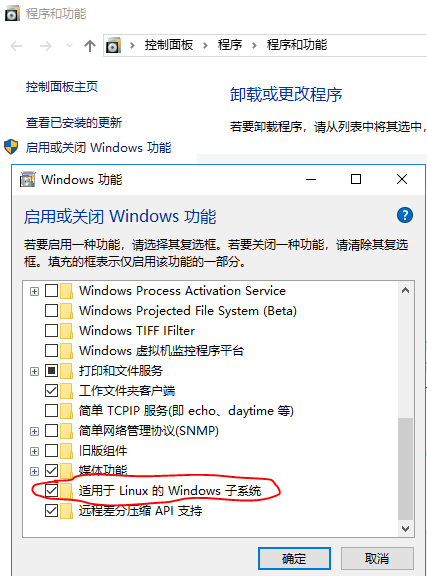
控制面板->程序和功能->启用或关闭Windows功能->勾选 适用于Linux的Windows子系统,后重启。如下图
Step 2 链接到标题
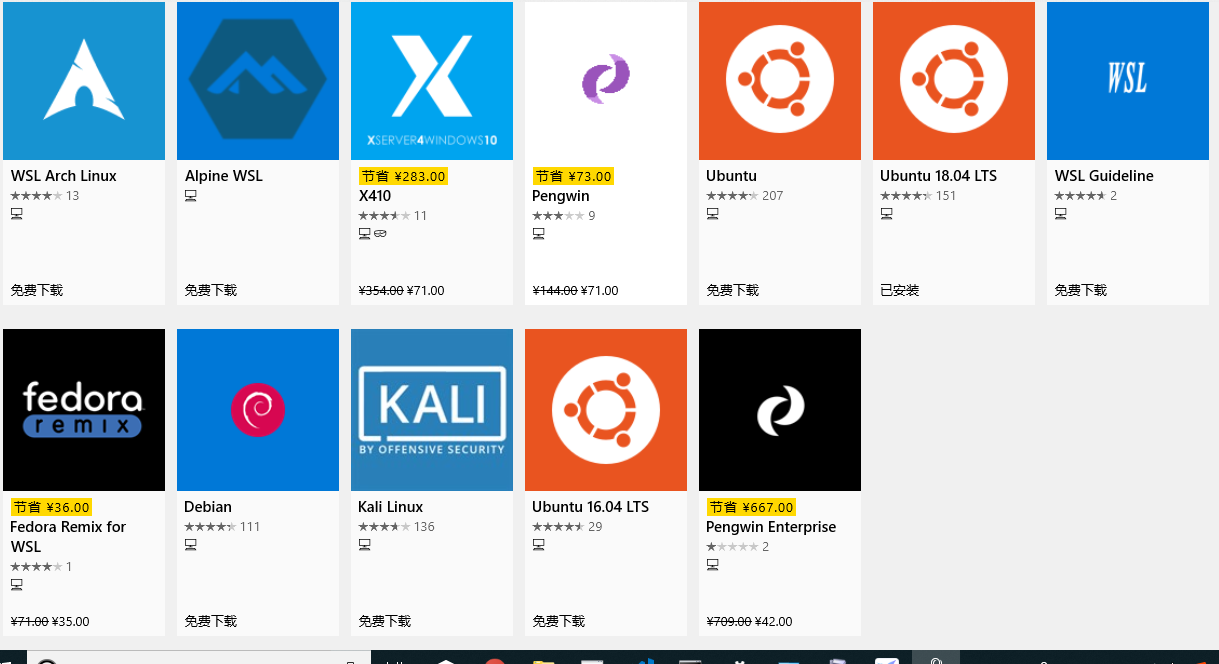
进入Microsoft Store,搜索“WSL”,可根据需求选择安装,我这里选择的是ubuntu 18.04,如图:
使用 链接到标题
在启动栏执行wsl就可以启动WSL,一个完整功能的linux console , 和ubuntu 18.04原生系统无异,如图
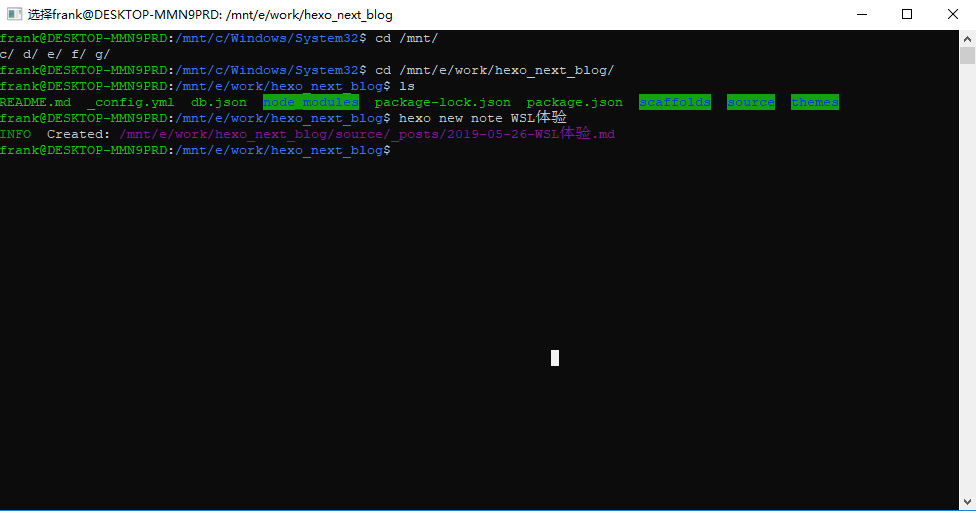 WSL将本地磁盘mount在/mnt/c, /mnt/d, /mnt/e等
修改apt源 链接到标题
替换为阿里源
vim /etc/apt/sources.list
vim中执行替换
:%s/security.ubuntu/mirrors.aliyun/g
:%s/archive.ubuntu/mirrors.aliyun/g
保存后执行
sudo apt update
安装gcc 链接到标题
sudo apt-get install gcc
编译测试 链接到标题
准备两个文件cw_exchange_client.c和cw_exchange_server.c进行编译
gcc -g cw_exchange_client.c -DSIMULATE -o client
gcc -g cw_exchange_server.c -DSIMULATE -o server
检查编译结果 链接到标题
readelf -h server
可以看到
ELF Header:
  Magic:   7f 45 4c 46 02 01 01 00 00 00 00 00 00 00 00 00
  Class:                             ELF64
  Data:                              2's complement, little endian
  Version:                           1 (current)
  OS/ABI:                            UNIX - System V
  ABI Version:                       0
  Type:                              DYN (Shared object file)
  Machine:                           Advanced Micro Devices X86-64
  Version:                           0x1
  Entry point address:               0xa50
  Start of program headers:          64 (bytes into file)
  Start of section headers:          17496 (bytes into file)
  Flags:                             0x0
  Size of this header:               64 (bytes)
  Size of program headers:           56 (bytes)
  Number of program headers:         9
  Size of section headers:           64 (bytes)
  Number of section headers:         35
  Section header string table index: 34
然后直接执行./server,可以运行
编译运行32bit 链接到标题
我的win10 wsl是64bit,编译出来的是elf64。当需要对比32bit系统时需要编译为32bit的
gcc -g cw_exchange_client.c -m32 -DSIMULATE -o client
gcc -g cw_exchange_server.c -m32 -DSIMULATE -o server
但直接执行时会提示
-bash: ./server: cannot execute binary file: Exec format error
WSL需要执行下列才能执行ELF32格式
sudo apt install qemu-user-static
sudo update-binfmts --install i386 /usr/bin/qemu-i386-static --magic '\x7fELF\x01\x01\x01\x03\x00\x00\x00\x00\x00\x00\x00\x00\x03\x00\x03\x00\x01\x00\x00\x00' --mask '\xff\xff\xff\xff\xff\xff\xff\xfc\xff\xff\xff\xff\xff\xff\xff\xff\xf8\xff\xff\xff\xff\xff\xff\xff'
sudo service binfmt-support start
注意 每次重启wsl后都需要执行一次sudo service binfmt-support start
其它 链接到标题
目前还安装了git, nodejs, hexo都工作良好,这篇博文就是在wsl产生的